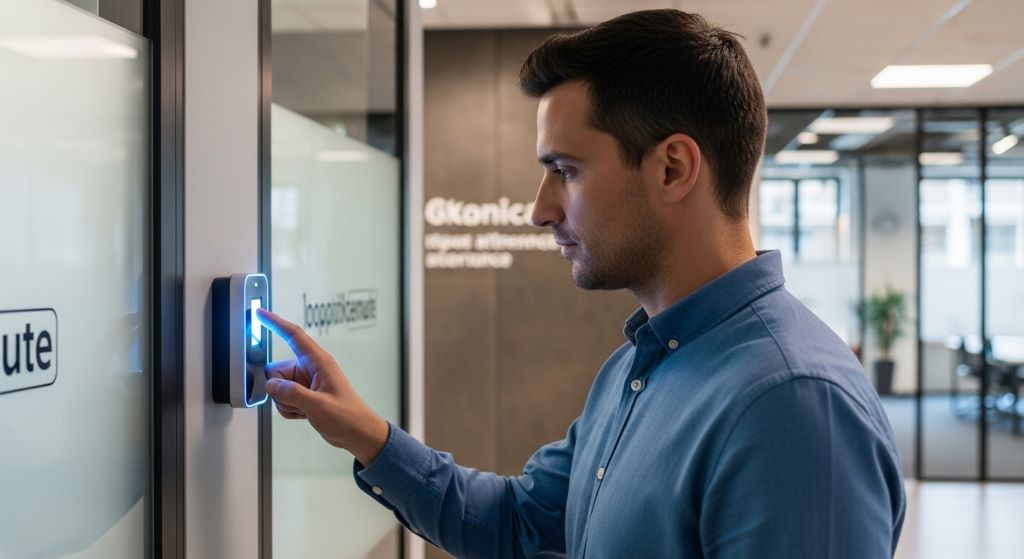
Every business needs a safe and secure workplace. However, traditional methods like ID cards and PIN codes are no longer enough. They can be lost, stolen, or shared. This is why more companies are turning to biometric attendance systems to protect their offices. These systems use unique physical traits — like fingerprints or facial features — to verify who enters your building.
In this article, you will learn how biometric attendance systems work, why they matter, and how they can strengthen your overall office security solutions.
What Is a Biometric Attendance System?
A biometric attendance system is a technology that identifies people based on their physical characteristics. These characteristics can include fingerprints, iris patterns, facial recognition, or even voice. The system scans the person, matches the data to a stored profile, and grants or denies access.
Unlike a key or a card, your fingerprint cannot be borrowed or copied easily. Therefore, biometric systems offer a much higher level of identity verification. They also track when employees arrive and leave, making attendance management more accurate.
Why Traditional Security Methods Fall Short
Many offices still rely on swipe cards or key codes. These methods seem convenient, but they come with serious problems.
- Employees can share access cards with unauthorised people.
- PIN codes can be guessed or seen by others.
- Lost or stolen cards create security gaps until they are deactivated.
- Manual attendance logs are easy to manipulate.
Additionally, these older methods offer little data about who was in the building and when. In contrast, biometric systems create a clear digital record of every entry and exit. This data is invaluable during security investigations.
How Biometric Systems Strengthen Office Security Solutions
When you integrate biometrics into your office security solutions, you gain multiple layers of protection. Here is how these systems work together to keep your workplace safe.
Accurate Identity Verification
Biometric systems confirm that the right person is entering the right area. No two people share the same fingerprint or iris pattern. Therefore, the system always knows exactly who is coming in. This removes the risk of impersonation completely.
Real-Time Access Monitoring
Modern biometric systems provide live updates. Managers can see who is in the building at any moment. If someone enters a restricted area without permission, the system can trigger an alert. This allows security teams to respond quickly.
Reduction in Buddy Punching
Buddy punching happens when one employee clocks in for another. This is a common problem in offices that use card or PIN systems. However, a biometric system makes this impossible. Only the actual employee can register their own attendance. As a result, time and attendance records become far more reliable.
Integration with Other Security Tools
Biometric attendance systems work well alongside other tools. They can connect with CCTV cameras, alarm systems, and HR software. This creates a unified security environment. For instance, if a biometric scan fails, the camera can capture an image for review. Together, these tools form a strong and complete security network.
Understanding the Role of an Access Control System
A well-designed access control system is the backbone of office security. It determines who can enter specific areas and when. Biometric attendance systems take this a step further by tying access rights directly to a person’s identity.
For example, you can program the system to allow only senior staff into the server room. Junior employees will be denied access automatically. This level of control reduces the risk of internal data breaches. Moreover, you can update access rights in real time without needing to issue new cards or change codes.
An effective access control system also creates an audit trail. Every entry and exit is logged with a timestamp. This makes it easier to investigate incidents or verify alibis during security reviews. It also supports compliance with data protection regulations.
Key Benefits of Biometric Attendance Systems
Beyond security, biometric systems offer several practical advantages for your business.
- They eliminate the cost of printing and replacing access cards.
- They reduce time spent on manual attendance tracking.
- They improve payroll accuracy by recording precise working hours.
- They create a more professional and tech-forward image for your company.
- They scale easily as your team grows.
Furthermore, employees tend to feel safer when they know their workplace uses advanced security measures. A secure environment improves staff confidence and productivity.
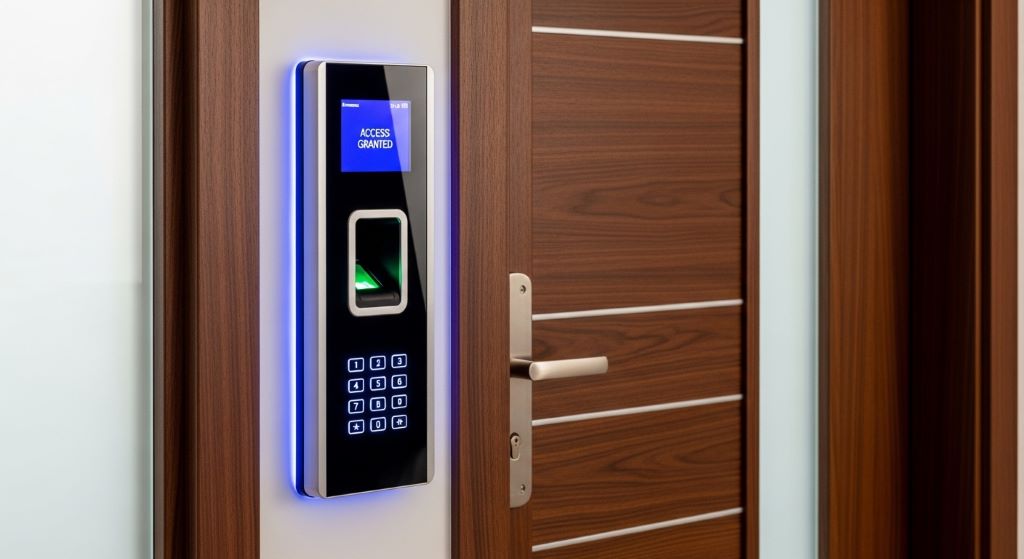
Choosing the Right Biometric System for Your Office
Not all biometric systems are the same. Choosing the right one depends on your office size, budget, and specific needs. Here are a few factors to consider.
Type of Biometric Technology
Fingerprint scanners are the most affordable and widely used. Facial recognition systems are contactless, which is a major advantage in health-conscious workplaces. Iris scanners offer the highest accuracy but are usually more expensive. Consider which technology best suits your environment.
Scalability
Your security needs may grow over time. Therefore, choose a system that can handle more users and more access points without major upgrades. Cloud-based biometric systems are particularly flexible in this regard.
Data Privacy and Compliance
Biometric data is sensitive personal information. Make sure your chosen system complies with local data protection laws. Employees should be informed about how their data is stored and used. Transparency builds trust and reduces resistance to the new system.
Integration Capabilities
The best biometric systems integrate smoothly with your existing tools. Check that the system is compatible with your HR software, payroll system, and any existing access control system you already have in place.
Steps to Implement a Biometric Attendance System
Rolling out a new system requires careful planning. Follow these steps to ensure a smooth transition.
- Assess your current security setup and identify weak points.
- Define which areas require restricted access.
- Select the biometric technology that suits your needs.
- Choose a reputable vendor with strong customer support.
- Install the hardware and configure user profiles.
- Train your staff on how to use the new system.
- Monitor performance and adjust settings as needed.
Additionally, run a trial period before full deployment. This helps you catch technical issues early and gives employees time to get comfortable with the new process.
Common Concerns About Biometric Systems
Some employees may be uncomfortable with biometric technology. They may worry about privacy or feel that it is too invasive. It is important to address these concerns openly.
Explain that biometric data is encrypted and stored securely. It is not shared with third parties. Also, clarify that the system is used only for security and attendance purposes. When employees understand the purpose and protections in place, they are more likely to accept the change.
Additionally, have a backup plan for cases where the biometric scan fails. For example, a secondary PIN or a manual override process can prevent disruptions to daily operations.
Conclusion
Biometric attendance systems are a powerful upgrade for any modern workplace. They remove the weaknesses of traditional methods and bring identity verification to a much higher standard. By combining these systems with a reliable access control system and other office security solutions, businesses can create a safe, efficient, and fully monitored environment.
The benefits go beyond security alone. These systems improve attendance tracking, reduce costs, and support compliance with privacy regulations. Most importantly, they give business owners peace of mind. If you are looking to future-proof your office security, biometric attendance systems are a smart and practical investment.
Frequently Asked Questions
Are biometric attendance systems suitable for small businesses?
Yes. Many vendors offer affordable, scalable options designed for small teams. Even a basic fingerprint system can significantly improve security and attendance accuracy for a small office.
What happens if a biometric scan fails?
Most systems have a backup method, such as a PIN or a management override. Regular maintenance and proper calibration reduce the chances of scan failures.
Is biometric data safe from hackers?
Reputable systems encrypt biometric data and store it locally or in secure cloud environments. As long as you choose a trusted vendor and follow best practices, the risk of a data breach is very low.
Can biometric systems work with remote or hybrid teams?
Yes. Some modern systems use mobile biometric apps that allow remote employees to check in securely from any location. These solutions sync with central HR and payroll platforms.
How long does it take to set up a biometric attendance system?
Setup time depends on the size of your office and the complexity of the system. A basic fingerprint setup for a small office can be done in a day. Larger, more complex installations may take a few weeks, including employee enrolment and testing.
Related Topics:
How to Choose a Shipping Label Printer for Small Business
How to Install a Ceiling Mounted Projector Screen (Office Setup Guide)