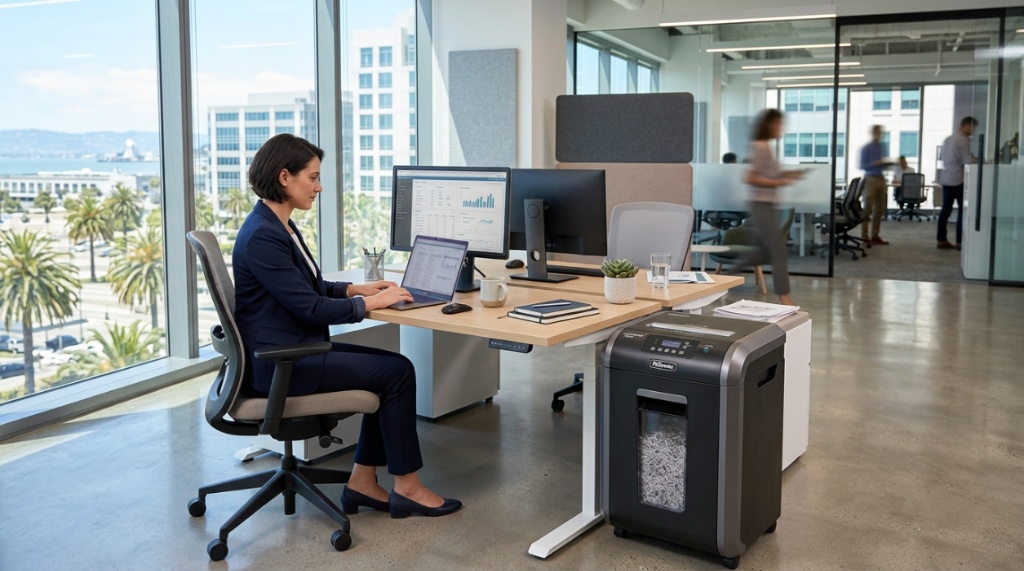
Running a business in California comes with a unique set of compliance requirements, from the California Consumer Privacy Act (CCPA) to strict medical and financial record-keeping laws. If you are drowning in sensitive documents and relying on a flimsy strip-cut machine from the break room, you are exposing your company to legal and reputational risk. The challenge is that not every machine sold as “secure” actually meets the needs of a CA business. Selecting the right office paper shredder CA businesses requires understanding security levels, daily volume, and the unique legal landscape of the Golden State. This guide walks you through every critical factor to ensure you make a purchase that protects your data and your bottom line.
What Security Level Does Your California Business Legally Require?
For most California businesses, a security level of P-4 or higher is the minimum standard required to comply with data privacy laws. A P-4 shredder cuts paper into small particles measuring 2mm by 15mm, reducing documents to pieces that are nearly impossible to reassemble.
Understanding the DIN 66399 Standard
The DIN 66399 standard classifies shredders from P-1 (least secure) to P-7 (most secure). California businesses dealing with personal information (PI) under the CCPA should target P-4 for general office documents. Medical practices subject to HIPAA and CMIA (California Medical Information Act) should aim for P-5 or higher, which reduces particles to 0.8mm x 12mm.
The CCPA and Your Shredding Obligations
The California Consumer Privacy Act does not explicitly mandate a specific shredder type, but it requires businesses to implement “reasonable security procedures.” If a data breach occurs due to improper disposal of paper records, regulators will look at your destruction methods. A cross-cut shredder with a P-4 rating demonstrates due diligence far better than a strip-cut model.
Industry-Specific Compliance Needs
- Legal firms: Attorney-client privilege requires P-5 or micro-cut shredders for case files.
- Financial services: FACTA and California Financial Information Privacy Act recommend cross-cut shredding of account statements.
- Healthcare: Micro-cut shredders are standard for patient records to meet HIPAA requirements.
How Much Paper Volume Does Your Office Process Daily?
Matching the shredder’s duty cycle to your daily paper volume is the single most important mechanical decision you will make. Buying an underpowered machine leads to frequent overheating, jams, and early motor failure.
Classifying Your Office Volume
Small offices handling fewer than 500 sheets per day can use a “personal” shredder with a 10-minute run time. Mid-sized teams processing 500 to 2,000 sheets require a “continuous duty” machine rated for 30 minutes of operation without a cooldown break. High-volume departments exceeding 2,000 sheets daily need a commercial-grade shredder capable of running for hours.
How Duty Cycle Impacts Longevity
Shredders list their duty cycle in minutes of use versus minutes of cooldown. A machine offering “30 on / 30 off” provides 30 minutes of continuous shredding before requiring a 30-minute rest. Ignoring this rating voids warranties and leads to costly repairs. For a busy California law firm, a unit with a 60-minute continuous run time is non-negotiable.
The Cost of Under-Specifying
Buying a $100 shredder for a 10-person office is a false economy. The motor will overheat within six months, and replacement costs quickly exceed the price of a properly rated machine. Invest upfront in a model designed for your actual sheet count.
Which Shredder Type: Cross-Cut, Micro-Cut, or Strip-Cut?
Cross-cut shredders are the standard choice for California businesses because they offer the best balance of security and cost. Micro-cut provides superior security, while strip-cut should be avoided for any document containing personal data.
Cross-Cut (Security Level P-4)
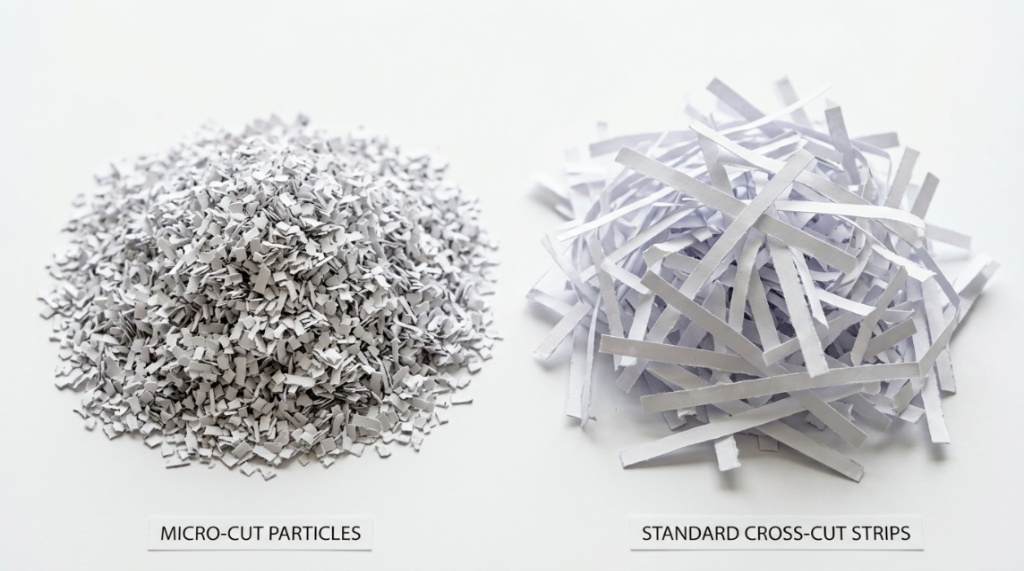
Cross-cut machines use two rotating blades to cut paper into small rectangles. This is the minimum acceptable level for CCPA compliance. Cost ranges from $150 to $500 for a quality office model. It is suitable for most confidential business documents, contracts, and HR files.
Micro-Cut (Security Level P-5 to P-7)
Micro-cut shredders produce particles the size of confetti. These machines are more expensive and operate slower than cross-cut models. They are essential for law firms handling sensitive litigation documents or medical practices managing patient records. Expect to pay $400 to $1,200 for a reliable micro-cut unit.
| Type | Security Level | Particle Size | Best For | Price Range |
|---|---|---|---|---|
| Strip-Cut | P-1 to P-2 | 5mm strips | Non-sensitive junk mail | $50 – $150 |
| Cross-Cut | P-4 | 2mm x 15mm | General business documents | $150 – $500 |
| Micro-Cut | P-5 to P-6 | 0.8mm x 12mm | Legal, medical, financial | $400 – $1,200 |
| High-Security | P-7 | 1mm x 5mm | Government classified docs | $1,500+ |
Can a Shredder Handle Staples, Paper Clips, and Credit Cards?
Yes, most modern cross-cut and micro-cut shredders designed for office use can handle staples and paper clips without damage. However, not all machines handle credit cards, CDs, or junk mail equally well.
What to Look for in the Specs
Check the user manual for “staple and paper clip safe” rating. Many mid-range shredders include hardened steel cutters that chew through metal without dulling. Avoid inserting binder clips, which can damage blades. Credit cards require a separate feed slot or a model explicitly rated for card destruction.
Why This Matters for Efficiency
If your staff must remove every staple before shredding, you waste significant labor hours. For a California business processing hundreds of documents daily, choosing a shredder that accepts staples reduces workflow friction. The cost difference for a staple-safe model is typically only $20 to $50 more.
What to Never Put in Your Shredder
- Binder clips (the metal spring mechanism breaks blades)
- Rubber bands (they melt and gum up the cutters)
- Adhesive labels (they leave sticky residue)
- Thick cardboard (jams the feed mechanism)
What Feed Width and Sheet Capacity Do You Really Need?
Feed width determines the maximum paper size your shredder can accept, while sheet capacity dictates how many pages you can shred at once. For most offices, a 9-inch or 10-inch feed width is sufficient for letter-size documents.
Standard Sizes for California Offices
Letter-size paper (8.5 x 11 inches) is the standard in California offices. A shredder with a 9-inch feed width handles this easily. For legal firms processing 11 x 17 inch documents, a 12-inch or wider feed is essential. Never fold paper to fit a narrower slot; it causes jams.
Sheet Capacity: 10 Sheets vs. 30 Sheets
A 10-sheet capacity machine is fine for a single user shredding a page or two at a time. A 30-sheet capacity machine is better suited for a team clearing stacks of documents. If your staff frequently processes multi-page contracts or thick reports, prioritize a model that takes 20 to 30 sheets per pass.
Auto-Feed vs. Manual Feed
Some high-end shredders include an auto-feed hopper that grabs pages automatically. This feature is valuable for batch processing routine documents. However, manual feeding still offers better control for documents containing staples or mixed materials. When choosing a machine, always check the recommended sheet capacity. Keep in mind that heavier paper stocks will reduce the number of pages your machine can handle at once. For a deeper understanding of how paper weight affects office operations, check out our Paper GSM Guide for Better Printing Results to match your documentation with the right hardware.
How Important Is Noise Level for Your Work Environment?
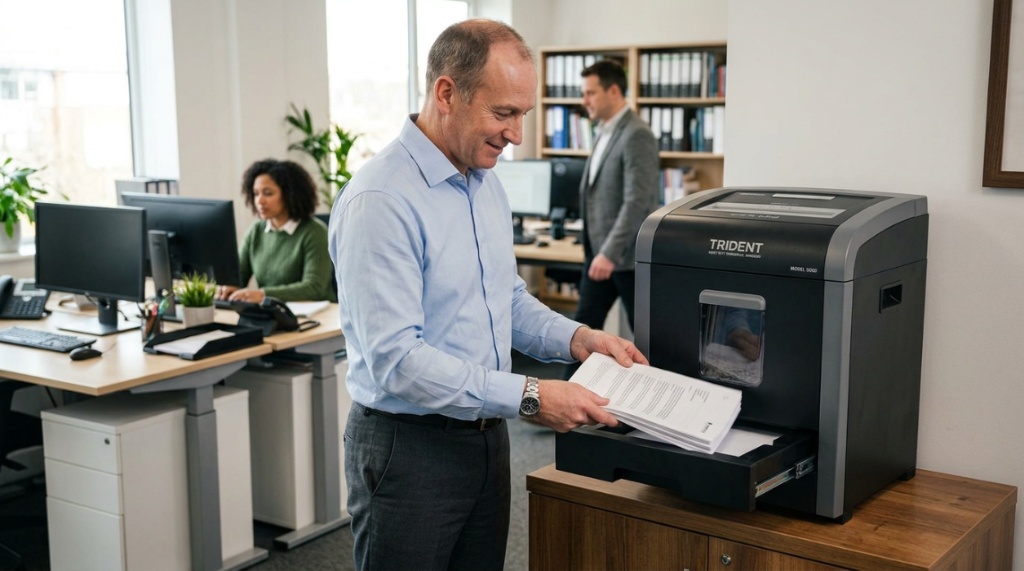
Noise level is a critical factor for open-plan offices and shared workspaces in California. A loud shredder disrupts meetings, phone calls, and concentration. Look for models rated at 55 decibels or lower for quiet operation.
Decibel Ratings Explained
Normal conversation measures about 60 decibels. A shredder operating at 70 decibels sounds similar to a vacuum cleaner. For a law office or accounting firm where quiet is essential, choose a “whisper-quiet” model operating at 50 to 55 decibels. These models use sound-dampening materials and slower motor speeds.
The Trade-Off Between Speed and Noise
Faster shredding speeds (10 feet per minute or higher) generate more noise. Slower speeds (6 to 8 feet per minute) are quieter but take longer to clear a stack. For most offices, a compromise of 8 to 9 feet per minute at 55 decibels offers an acceptable balance. Test the machine in your actual environment before purchasing if possible.
Which Features Save Time and Reduce Frustration?
Modern shredders include automated features that dramatically reduce downtime and maintenance. Prioritize models with jam prevention, auto reverse, and safety sensors to keep your workflow moving.
Jam Prevention Technology
Advanced shredders sense when paper becomes too thick and automatically slow or reverse the motor before a jam occurs. This feature alone can save hours of frustration per month. Brands like Fellowes and Dahle offer models with “Jam Free” or “ShredSmart” technology.
Cooling Systems and Overload Protection
Continuous-use shredders include internal fans and thermal sensors that shut down the motor before overheating. For a busy California office, this is not a luxury—it is a necessity. Look for the term “Thermal Overload Protection” in the specifications.
Safety Sensors and Automatic Shut-off
All modern office shredders should include auto-start and auto-stop sensors that activate the blades only when paper is inserted. Additionally, safety guards prevent fingers from reaching the cutting mechanism. For offices with younger employees or high traffic, consider a model with a “Safe Sense” technology that stops the blades immediately if the machine is lifted or opened.
Where Should You Place Your Shredder for Maximum Efficiency?
Placement affects usage compliance. If the shredder is hidden in a storage closet, employees will avoid using it. Position it in a central, accessible location within arm’s reach of the primary document processing area.
The “Clean Desk” Policy Connection
Under California privacy regulations, maintaining a clean desk policy is a recommended security practice. Placing a shredder next to the printer or in the mailroom encourages immediate disposal of sensitive documents. If the shredder is convenient, staff will use it consistently.
Under-Desk vs. Central Station
Personal shredders fit under individual desks for private use. However, this can lead to inconsistent shredding practices. A central station with a high-capacity shredder in a common area ensures all documents are destroyed uniformly. For offices with 10 or more employees, a central solution is almost always preferable.
How to Maintain Your Shredder and Extend Its Lifespan
Regular lubrication and cleaning are essential for maintaining performance and preventing mechanical failure. A well-maintained shredder lasts three to five years in a busy office.
Lubrication Schedule and Products
Use shredder oil specifically designed for cross-cut machines. Apply oil every time you empty the bin, or after every two hours of continuous use. Simply run a few sheets of paper through after applying the oil to distribute it evenly. Never use cooking oil, WD-40, or household sprays, which damage the blades.
Bin Emptying Best Practices
Empty the waste bin before it reaches full capacity. Overfilling leads to paper backing up into the cutting head, causing jams. Many modern shredders include a “bin full” indicator light. Follow it. Do not compress the waste with your hands; use the built-in safe tools provided with the machine.
What to Do When the Shredder Jams
First, unplug the shredder. Remove the paper feed tray and visually inspect the blades. Use the reverse function to back out the jammed paper. If that fails, manually remove the paper using tweezers or needle-nose pliers. Never force the blades with a tool that could damage them. If jams occur weekly, you likely overfill the bin or feed too many sheets at once.
What Is Your Total Cost of Ownership for a Quality Shredder?
The purchase price is only one component of total cost. Factor in electricity, replacement oil, and potential repair costs. A high-quality commercial shredder costing $600 to $1,000 often provides a lower total cost over five years than replacing a $200 unit every 18 months.
Operating Costs Breakdown
Electricity usage for a typical office shredder is minimal, often less than $20 per year. Oil costs roughly $10 per year for monthly lubrication. The hidden cost is labor: a slow or unreliable shredder wastes employee time. If a machine jams five times per week, and it takes five minutes to clear each jam, your team loses over 20 hours annually. Spending more upfront on reliability pays off.
Warranty and Support Considerations
Business-grade shredders typically include a 3-year warranty on parts and labor, with a 10-year warranty on cutters. Consumer-grade shredders often carry only a 1-year warranty. For a California business, the warranty support from a reputable manufacturer like Fellowes, Dahle, or Intimus is worth the premium. Check if the manufacturer has a service center in California to minimize downtime.
When Should You Consider Professional Shredding Services Instead of Buying?
If your office processes more than 10,000 sheets per day or requires NAID AAA Certified destruction for compliance, a professional shredding service may be more cost-effective than purchasing an industrial machine.
Volume Thresholds for Outsourcing
For most small to mid-sized California businesses (5 to 50 employees), an in-house shredder provides better control and lower ongoing costs. Once your volume exceeds 20,000 sheets monthly, the cost of maintaining an industrial shredder and managing its waste becomes comparable to weekly pickup services.
Security Control Trade-offs
Professional services offer mobile shredding trucks that destroy documents on-site. This eliminates the risk of theft during transport. However, you must schedule pickups and ensure locked bins are properly managed. In-house shredding offers immediate destruction and complete control, which many compliance officers prefer.
Frequently Asked Questions
Can I use a personal shredder for my small business in California?
You can, but it is not recommended. Personal shredders lack the duty cycle and security features required for consistent compliance. They overheat quickly and rarely meet the P-4 security level needed for CCPA protection.
How often should I oil my office shredder?
Oil your cross-cut shredder every time you empty the waste bin, or after every two hours of continuous use. Regular lubrication prevents dust buildup and keeps blades sharp, reducing jams and extending the machine’s life.
What is the difference between cross-cut and micro-cut for legal documents?
Cross-cut produces 2mm x 15mm particles, which is adequate for general CCPA compliance. Micro-cut produces 0.8mm x 12mm particles, offering higher security that is recommended for attorney-client privileged documents and medical records under California law.
Do I need a shredder with a safety sensor?
Yes, if your office has multiple users or is in a shared space. Safety sensors stop the blades when hands are too close to the feed opening. This feature is strongly recommended for compliance with California workplace safety regulations.
How do I dispose of the shredded paper waste?
Shredded paper can be recycled in most California municipal recycling programs if the particles are small enough. Check with your local waste hauler. For highly sensitive documents, consider using a bonded disposal service that provides certificates of destruction.
What does “P-4” mean on a shredder specification?
P-4 is a security level under the DIN 66399 standard. It indicates the shredder cuts paper into particles of 2mm by 15mm or smaller. This level is considered secure enough for most business documents containing personal information.
Can I shred CDs and credit cards in my office shredder?
Only if the shredder is specifically rated for these materials. Check the product manual for a “credit card and CD safe” designation. Inserting unauthorized materials can damage the cutting blades and void your warranty.
Conclusion
Selecting the right shredder for your California business is about more than just cutting paper. It is about protecting your clients, your employees, and your company from legal liability. Prioritize a cross-cut or micro-cut model with a security level of P-4 or higher, match the duty cycle to your daily volume, and invest in features like jam prevention and quiet operation. Remember to budget for regular maintenance with shredder oil and to empty the bin frequently to prevent jams. By matching your machine to your specific workflow and compliance needs, you ensure data security, operational efficiency, and peace of mind. If you are ready to evaluate models that meet California’s strict standards.