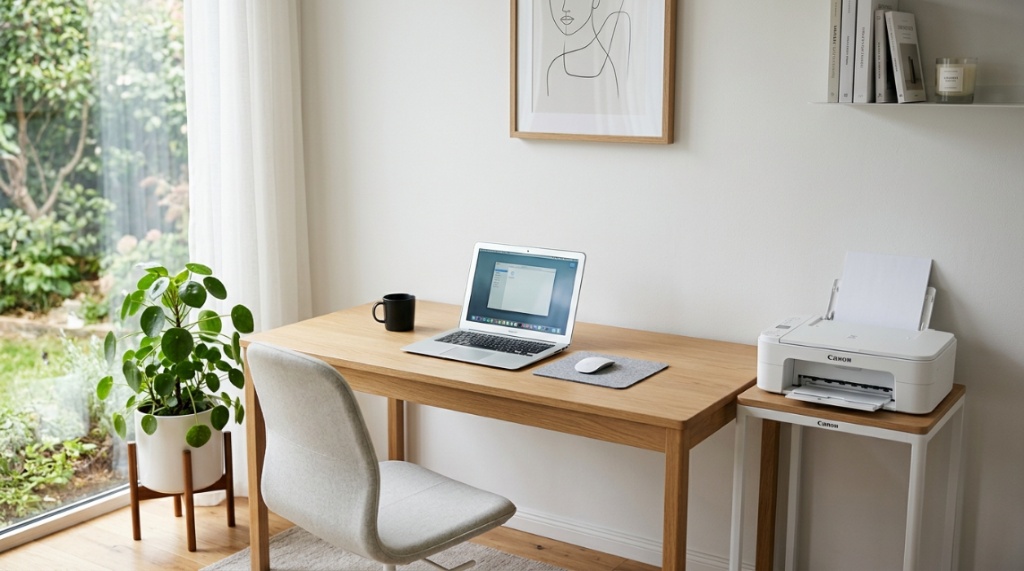
You finally got that home office setup looking clean, and then the printer arrives. Suddenly, half your desk is gone, cables are everywhere, and the stack of paper you need is somehow always buried. The problem isn’t your printer; it’s your layout. A compact printer stand desk solution is the single most effective way to reclaim your work surface without moving to a bigger room. By lifting the printer off your primary desk and adding dedicated storage, you transform a space-hogging appliance into an organized, vertical workstation. This guide will show you exactly how to choose, set up, and optimize a compact printer stand so you can actually use your desk for, well, working.
Why Is a Compact Printer Stand Better Than Keeping the Printer on My Desk?
Keeping your printer on your main desk robs you of roughly 15–20% of your usable workspace. A compact printer stand moves that bulk off your primary surface, freeing up room for monitors, paperwork, or a coffee mug. The immediate payoff is a cleaner, more spacious work zone that lets you focus.
Beyond the real estate gain, dedicated stands offer organizational benefits your desk can’t match. Most models include shelving for paper, a drawer for ink cartridges, or side pockets for envelopes. This consolidation means you no longer have printer supplies cluttering your drawers or piling up on the floor. You also gain a dedicated spot that keeps the printer vibration isolated from your keyboard and mouse, which reduces noise distraction during focused work.
The Hidden Costs of Desk Clutter
- Reduced productivity: A cluttered desk increases cognitive load, making it harder to concentrate.
- Physical strain: Reaching over or around a printer strains your shoulders and neck.
- Cable chaos: Printer cables mix with monitor and laptop cables, creating a tangled mess.
- Ventilation issues: Printers need airflow. Sitting in a cramped desk corner can cause overheating.
What Size Compact Printer Stand Do I Actually Need?
Measure your printer’s width, depth, and height first. Then add at least 2 inches of clearance on all sides for airflow and paper loading. The stand’s footprint should be slightly larger than your printer, but not so wide that it defeats the purpose of saving space.
Most home office printers (like the HP Envy or Canon PIXMA series) are about 15–18 inches wide and 12–15 inches deep. A stand measuring 20 inches wide and 16 inches deep usually works perfectly. If you have a larger all-in-one model with an automatic document feeder, you may need a stand closer to 24 inches wide. Always check the maximum weight capacity of the stand—most budget models hold 50–80 pounds, which covers nearly all consumer printers.
Quick Sizing Guide
| Printer Type | Recommended Stand Width | Recommended Stand Depth |
|---|---|---|
| Compact home printer | 18–20 inches | 14–16 inches |
| All-in-one with ADF | 22–24 inches | 16–18 inches |
| Small office laser printer | 20–22 inches | 18–20 inches |
How to Choose the Right Compact Printer Stand for Your Setup
Focus on three factors: material, storage configuration, and mobility. A compact printer stand desk made of steel or solid wood offers durability, while particleboard models are lighter but less stable. Storage options range from open shelves to locking cabinets, and mobility depends on whether you want casters or fixed legs.
Material Matters
- Steel: Extremely durable, holds heavy printers, often has a modern look. Downsides: can be heavy to move and may scratch floors.
- Solid wood: Classic appearance, very sturdy, but usually the most expensive option.
- Particleboard/MDF: Budget-friendly, lightweight, comes in many finishes. Less durable and can warp if exposed to moisture.
- Wire/mesh: Minimalist, good airflow, very affordable. Typically less stable and offers minimal storage.
Storage Configuration
Think about what you store alongside the printer. Do you need a full shelf for paper, a drawer for ink, or an open cubby for envelopes? A stand with two open shelves gives you flexibility—one for the printer, one for supplies. If you want to hide clutter, look for a unit with a cabinet or drawer. For maximum utility, choose a stand with both a shelf and a small pull-out drawer.
Mobility vs. Stability
Casters (wheels) are fantastic if you need to move the printer for refills or cleaning. However, they can make the stand wobble if the floor isn’t level. Locking casters solve this. Fixed legs offer rock-solid stability, which is vital if you frequently print heavy items or if the stand sits on carpet.
Which Features Make a Compact Printer Stand Worth Buying?
The best features are adjustable shelving, cable management, and a flat, ventilated top. Adjustable shelves let you accommodate different printer heights, while built-in cable hooks keep cords organized. A ventilated top prevents your printer from overheating during long print jobs.
Top 5 Features to Look For
- Adjustable shelves: Allows you to customize the height for your specific printer model.
- Cable management: Holes or clips that route the power and USB cords to one tidy bundle.
- Ventilation: Slats, mesh, or small gaps in the top surface to allow heat to escape.
- Leveling feet: Especially important on uneven floors to prevent wobbling.
- Locking wheels: Combine mobility with stability, letting you roll the stand when needed and lock it in place during use.
How to Effectively Organize Your Printer Stand for Maximum Utility

Place the printer on the top shelf with the paper tray facing outward for easy access. Use the lower shelf exclusively for paper reams and ink supplies. Store cables neatly using a cable management tray or simple adhesive clips on the back of the stand.
Zone-Based Organization System
- Top zone (printer level): Printer only. Keep the top clear for paper loading and the control panel viewable.
- Middle zone (if applicable): Drawer for ink cartridges, spare toner, and instruction manuals.
- Bottom zone (lower shelf): Paper reams (stack them flat to prevent curling), envelopes, and a small waste bin for misprints.
- Side zone (if applicable): S-hooks or small baskets for sticky notes, pens, or a stapler.
Can a Compact Printer Stand Work in a Small Apartment or Dorm Room?
Yes, and it is often the best solution for small spaces. A vertical printer stand takes up the same floor footprint as a small side table but offers multiple tiers of storage. In a dorm, it can double as a nightstand or a phone charging station.
Choose a stand with a slim profile, ideally one that is only 12–14 inches deep. Some models are designed to fit in the corner of a room, maximizing otherwise wasted space. If you are tight on square footage, consider a stand with an open design rather than a closed cabinet, as it looks less bulky and allows more light to pass through. Mobility becomes even more critical here—locking casters let you roll the stand out of the way when you need floor space for a yoga mat or extra guests.
When Should You Choose a Stand with Drawers vs. Open Shelves?
Choose drawers if you need to hide printer supplies from view or keep them dust-free. Choose open shelves if you need quick access to paper and envelopes and want the stand to feel lighter visually. Your decision should depend on your personal organization style and the decor of your room.
Drawers vs. Open Shelves: A Quick Comparison
| Feature | Drawers | Open Shelves |
|---|---|---|
| Visual clutter | Hides everything | Items are visible |
| Access speed | Slower (open drawer) | Faster (grab and go) |
| Dust protection | Excellent | Poor |
| Max storage volume | Limited by drawer size | Unlimited for tall items |
| Best for | Neat freaks, ink storage | Heavy paper users, bulk items |
How to Maintain a Clutter-Free Printer Stand Over Time
Implement a simple weekly routine: reload paper to the proper level, check ink supplies, and wipe down the stand surface. Every month, vacuum or dust the vents on the printer and the stand shelf. This prevents dust buildup that can clog the printer mechanics.
Simple Maintenance Checklist
- Weekly: Restock paper, check ink/toner levels, remove any printed documents.
- Monthly: Dust all surfaces, clean printer rollers (if needed), tighten any loose screws on the stand.
- Quarterly: Deep clean the stand with a damp cloth, inspect casters for hair/debris, reorganize storage.
Adopt the “one in, one out” rule for supplies. When you buy a new ream of paper, use the old one first. This prevents you from hoarding multiple open packages, which creates clutter and wastes space.
Is a Compact Printer Stand a Good Investment for a Shared Office?
Absolutely. In a shared office, a compact printer stand creates a dedicated printing station that doesn’t encroach on anyone’s personal desk space. It centralizes the printer, paper, and supplies in one location, reducing the “where’s the paper?” chaos that plagues shared environments.
Look for a stand with a locking cabinet if you need to secure expensive toner or specialty paper. A model with a large, flat top can also serve as a secondary surface for collating documents or placing a small shredder underneath. For shared spaces, durability is paramount—choose a steel or heavy-duty wooden stand that can withstand frequent use and movement. Labeling shelves (e.g., “Legal Paper,” “Letterhead,” “Ink Cartridges”) keeps everyone accountable and organized.
Final Tips for Arranging Your Desk and Printer Stand Together
Position the printer stand within arm’s reach of your desk but not directly blocking a doorway or walkway. Ideally, place it beside your desk at a 90-degree angle so you can swivel your chair to access it. Run a single, braided cable from the stand to your computer to keep wires minimal.
Ideal Layout Configurations
- L-shaped setup: Desk in the corner, printer stand on the short side of the L. This keeps everything within reach without occupying your main work surface.
- Side-by-side: Desk and printer stand against the same wall, with a small gap for chair access. Use a long cable to connect.
- Under-desk placement: If your desk height allows (at least 27 inches of clearance), slide the printer stand underneath. This is the ultimate space saver but requires a low-profile stand.
Remember to leave a few inches of space behind the stand for airflow and cabling. Use a power strip with surge protection to connect both your printer and desk electronics safely.
Keeping your printer off your main desktop leaves plenty of room for your daily essentials. With a cleared surface, you can easily set up a dedicated zone for your drinks without risking spills on your keyboard—crucial if you are focused on Balancing Caffeine and Hydration in the Office to maintain energy levels throughout the workday.
Frequently Asked Questions
Can I use a compact printer stand for other office equipment?
Yes. These stands work well for shredders, scanners, or even a small laminator, as long as the weight and size fit within the stand’s specifications.
How much weight can a typical compact printer stand hold?
Most quality stands hold between 50 and 80 pounds. Consumer printers rarely exceed 25 pounds, so this is plenty of margin for extra supplies.
Are printer stands with wheels stable on carpet?
They can be, but you need locking casters with wide wheels. Standard plastic caster wheels may sink into plush carpet, causing wobbling. Look for stands with 2-inch rubber casters or purchase a rigid caster mat.
What is the ideal height for a printer stand next to a desk?
The top of the printer stand should be about level with or slightly lower than your desk surface. This makes reaching the output tray and control panel comfortable without standing up or bending down excessively.
Do I need a cable management solution for my printer stand?
Strongly recommended. A simple cable management tray or clip-on raceway keeps power and data cords organized, preventing them from snagging on chair wheels or becoming trip hazards.
Can I mount a compact printer stand on the wall?
Wall-mounted printer shelves exist, but they are less common and usually hold only very lightweight printers. A floor-standing compact printer stand is far more versatile and stable for most home offices.